Send To Many Documentation: Multi-Recipient Orders on Shopify
Send bulk orders to multiple recipients from Shopify. Upload spreadsheets, use multi-recipient checkout, or collect inquiries. One order, many addresses.
Send To Many lets you process bulk orders where a single order includes multiple recipients. And we do it all 100% inside Shopify.
Whether you're managing corporate gifts, seeding products with influencers, or importing orders from another platform, we handle the complexity of managing all the bulk order details, creating an invoice (when appropriate) and generating multi-recipient orders at scale.
What is a Send?
A Send is the central concept in Send To Many. It represents a single bulk order — a group of recipients, the products they'll receive, and all the settings that go with it. When you create a Send, Send To Many generates an individual Shopify order for each recipient, all tied back to the original gifter order. You can track every recipient order, manage fulfillment, and view analytics from one place.
Core Workflows
Send To Many supports both manual bulk order uploads in Shopify admin AND storefront self-service checkout with multiple recipients, all in one app.
Upload
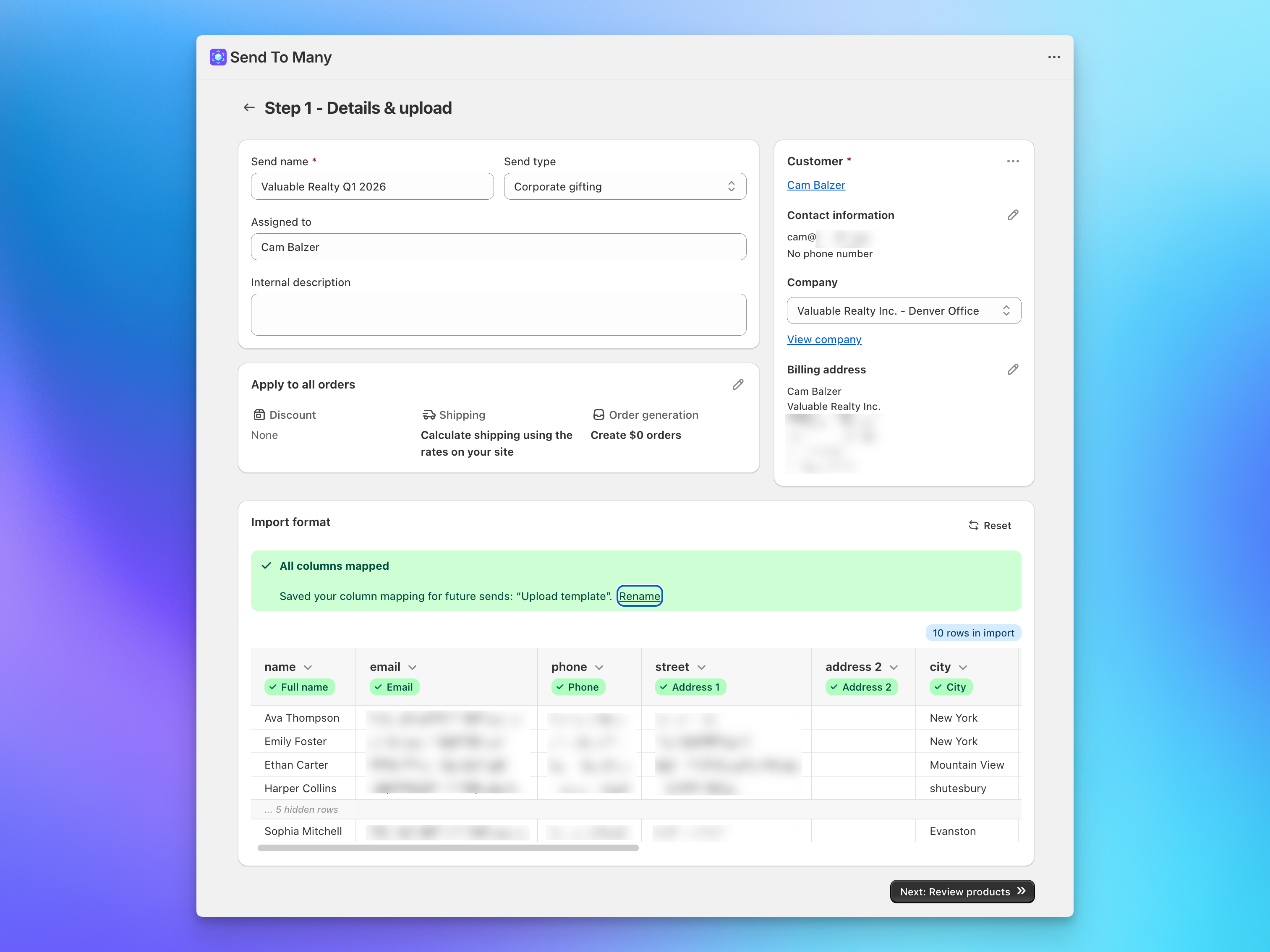
Prepare a spreadsheet with recipient details, upload it to Send To Many, and we'll generate recipient orders automatically. This is the fastest way to process bulk sends.
Get started with bulk order uploads →
Multi-Recipient Checkout
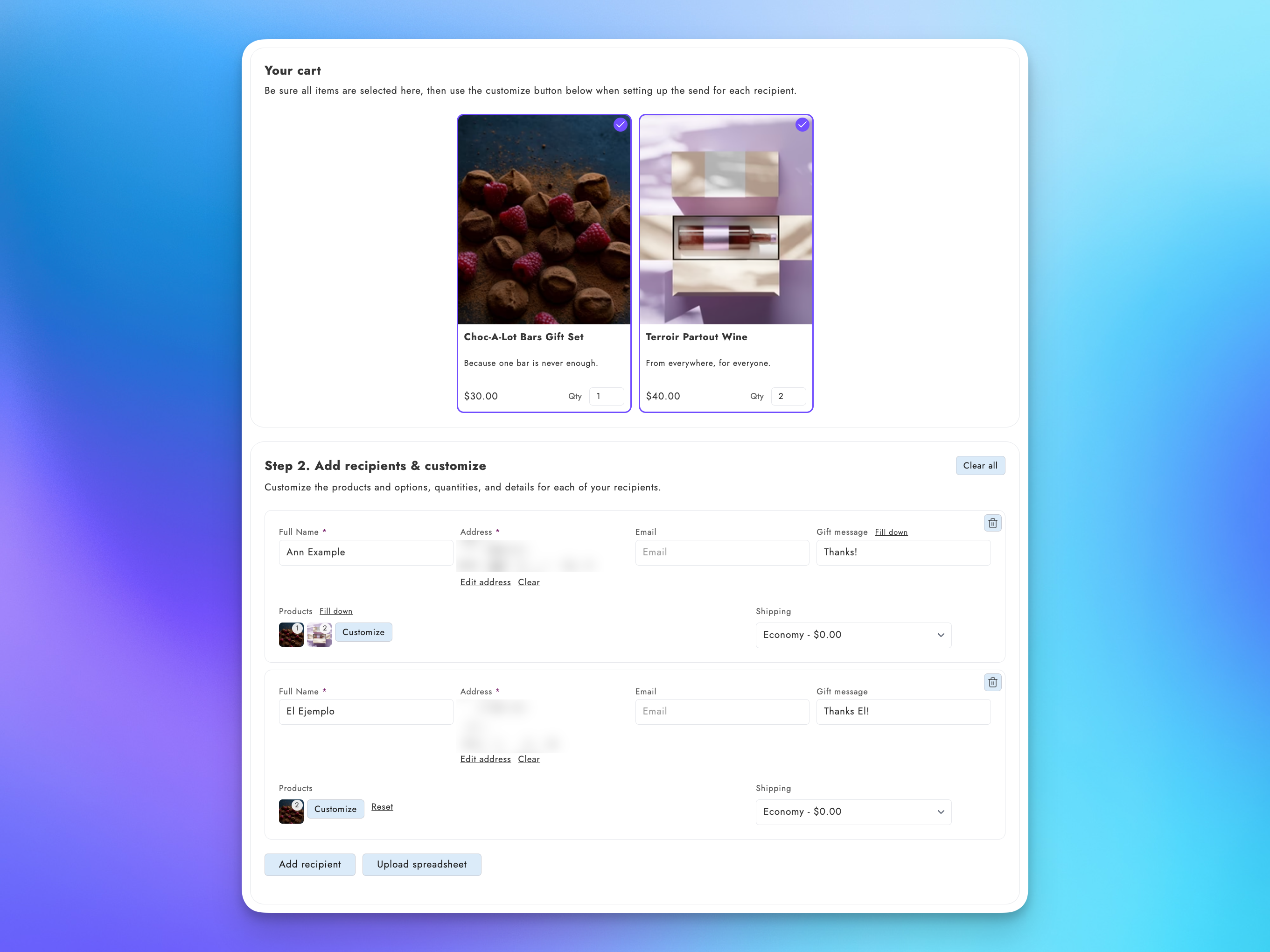
Let shoppers add multiple recipients directly at checkout on your Shopify store. Perfect for personal or corporate gifters who need an easy way to add 2, 25 or even 100 recipients to a single order.
Configure multi-recipient checkout →
Inquiry Form
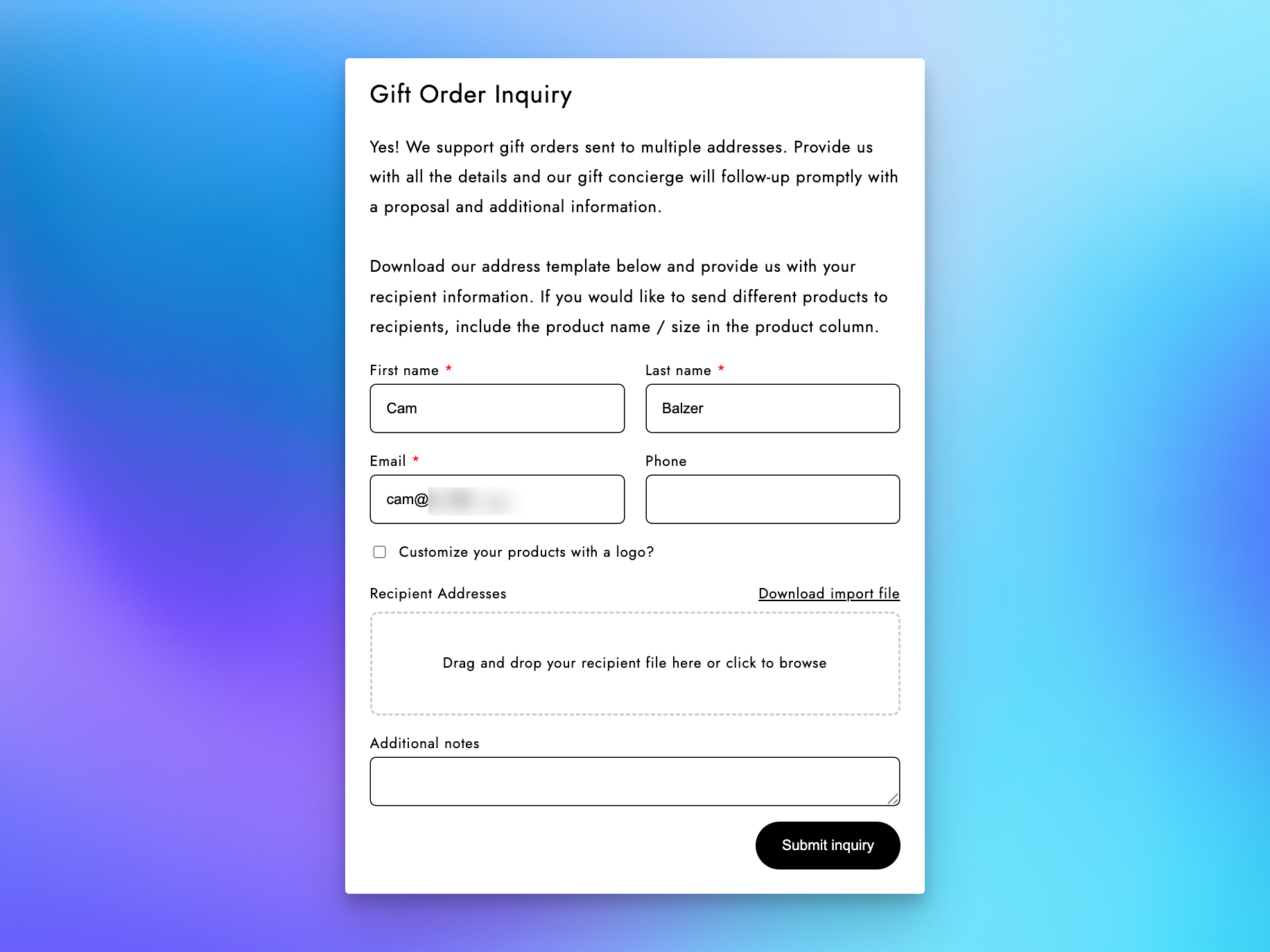
Capture corporate gifting inquiries from customers with a pre-built form. Your team reviews and processes them manually, then creates a Send. Ideal for high-touch B2B gifting programs and cases where customers have many questions or need concierge service for bulk orders (50 to 5000+ recipients).
Set up the corporate gifting inquiry form →
What Happens Next
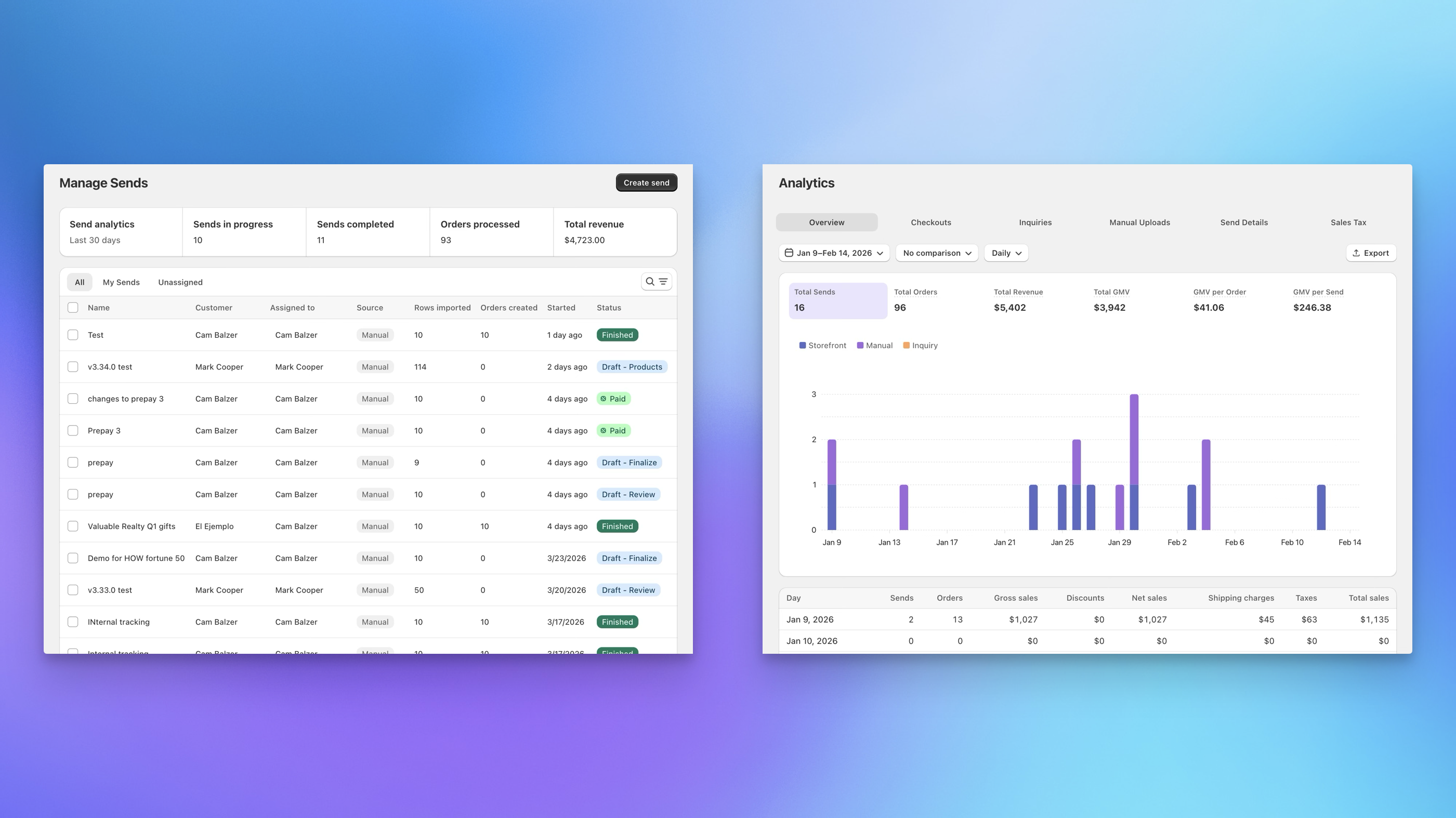
Once you create a Send, Send To Many generates individual recipient orders tied to the original gifter order. You get a dashboard view of the Send, recipient order statuses, fulfillment tracking, and detailed analytics on your bulk orders, all within Shopify admin.
Ready to Begin?
Head to the Quick Start Guide to create your first Send in minutes.