Discounts and Multi-Recipient Checkout
How Shopify discounts, discount codes, and Send To Many's built-in upsell discounts work with multi-recipient checkout. Covers supported discount types, limitations, and B2B catalog pricing.
There are two ways to offer discounts through multi-recipient checkout:
- Send To Many upsell discounts: Built-in tiered discounts that trigger based on the number of recipients or total order value. These are configured in the Send To Many app and applied during the multi-recipient checkout experience, before the shopper reaches Shopify's checkout page.
- Shopify discounts: Automatic discounts and discount codes from your Shopify Admin. These are applied on the Shopify checkout page after the shopper leaves the multi-recipient form.
Each works differently, and there are some important limitations to understand before you configure them.
Upsell Discounts
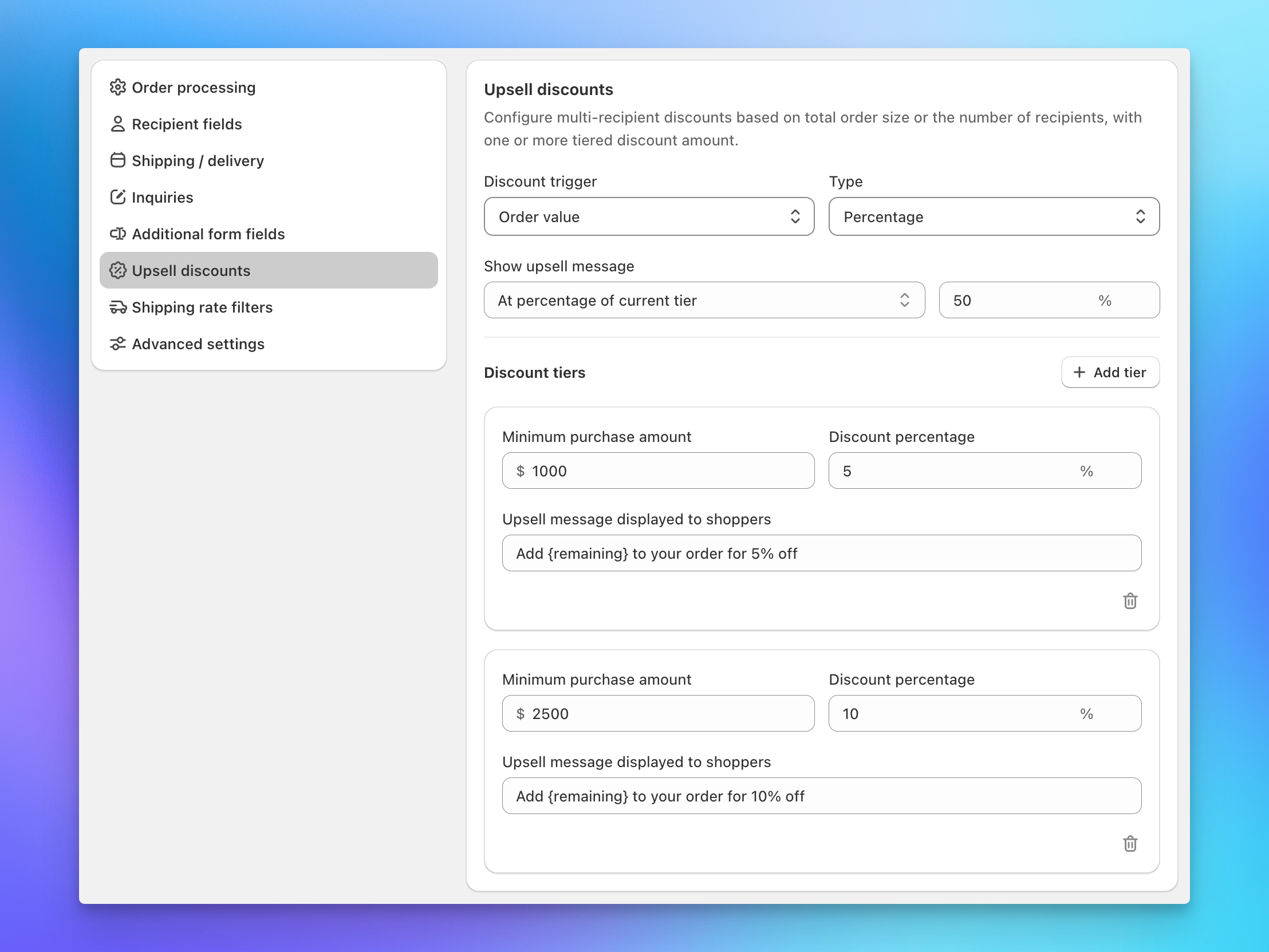
Send To Many includes a built-in upsell discount system designed specifically for multi-recipient orders. Upsell discounts trigger based on the number of recipients or the order value, and they update in real time as shoppers add recipients. You can stack multiple tiers to reward progressively larger orders (e.g., 10% off at 5 recipients, 15% off at 10, 25% off at 20).
For full setup instructions, discount types, tier configuration, and messaging options, see Configuring Checkout: Upsell Discounts.
Shopify Discounts in Checkout
Two settings in your checkout configuration control whether Shopify's native discounts apply to multi-recipient orders. You'll find both under Multi-recipient checkout → Order processing in the Additional Options section.
- Accept automatic discounts: When enabled, Shopify's automatic discounts apply to the checkout total. These are the discounts you've set up in Shopify Admin → Discounts with an automatic trigger.
- Allow discount codes in checkout: When enabled, shoppers can enter a discount code during the multi-recipient checkout flow. The code field appears on the checkout summary before payment.
How Discounts Apply
Shopify discounts in multi-recipient checkout are applied to the aggregate order total, which includes products, shipping, and tax across all recipients. The discount is not broken out or distributed across individual recipient orders. This means recipient orders will show their full calculated amounts (or $0, depending on your order revenue setting), while the discount only appears on the aggregate (gifter) order.
Which Discount Types Work
Because of how multi-recipient checkout assembles the aggregate order, not all Shopify discount types behave as expected.
Works well:
- Percentage off entire order: Applies the percentage to the aggregate total. This is the most straightforward option.
- Fixed amount off entire order: Subtracts the dollar amount from the aggregate total.
- Customer-specific discounts: Discounts restricted to specific customers work for logged-in shoppers, including B2B company discounts tied to a customer account.
Does not work reliably:
- Free shipping discounts: Shipping is calculated per-recipient and assembled into the aggregate total. Shopify's free shipping discount logic doesn't interact correctly with this structure.
- Product-specific discounts (buy X get Y, specific product or collection discounts): The aggregate order uses custom line items rather than your catalog products, so Shopify can't match product-based discount conditions against the order.
For the most predictable results, use percentage off or fixed amount off the entire order. These apply cleanly to the aggregate total without depending on product-level matching.
B2B Catalog Pricing
If you use Shopify's B2B features with company-specific catalog pricing, that pricing is applied as we calculate each recipient order, as long as the B2B customer is logged in on the multi-recipient checkout page. The checkout reads the customer's company and location to pull the correct catalog prices for every recipient in the Send.
Catalog pricing is applied based on the customer's session when the multi-recipient checkout page loads. If a B2B customer logs in later during the Shopify checkout step (after leaving the multi-recipient page), their catalog pricing may not be reflected. Make sure B2B customers log in before they start adding recipients.
For more on B2B setup and configuration, see Shopify B2B and Send To Many.
Next Steps
- Configuring Checkout: Order & Shipping Settings: Where to find the automatic discount and discount code settings
- Configuring Checkout: Upsell Discounts: Full setup for Send To Many's built-in tiered upsell discounts
- How Multi-Recipient Checkout Works: End-to-end overview of the checkout flow