Bird Integration
Enable local delivery and shipping rules for your Sends using the Bird (Bird Chime) Shopify app for delivery and rate management.
- Any paid Annual plan in Send To Many, or the monthly Growth tier or higher
If you use Bird (also known as Bird Chime) for local delivery and shipping on your Shopify store, Send To Many integrates with it so you can offer those same delivery options during both order upload and multi-recipient checkout.
What It Enables
The Bird integration makes local delivery and Bird-managed shipping rates available for your Sends. You can offer:
- Local delivery: Recipients within your delivery zones receive orders via local delivery
- Shipping rates: Bird-managed shipping rates for standard delivery
- Mixed fulfillment: Some recipients get local delivery while others get standard shipping
Send To Many does not currently support Bird's in-store pickup settings. We do support Bird's shipping rules and rates and local delivery dates and rates.
Configuration
Step 1: Install Bird on your Shopify store. Make sure Bird is installed and that you've configured your pickup locations, delivery zones, and shipping rules in Bird's settings. Send To Many reads this configuration automatically.
Step 2: Enable the integration in Send To Many. Navigate to Settings > Shipping & delivery rates and select Bird Pickup Delivery Integration as your rate source. You can enable local delivery, shipping, or both:
- Local delivery enabled: Offers Bird's local delivery rates and dates to recipients within your delivery zones
- Shipping enabled: Offers Bird's shipping rates for standard delivery
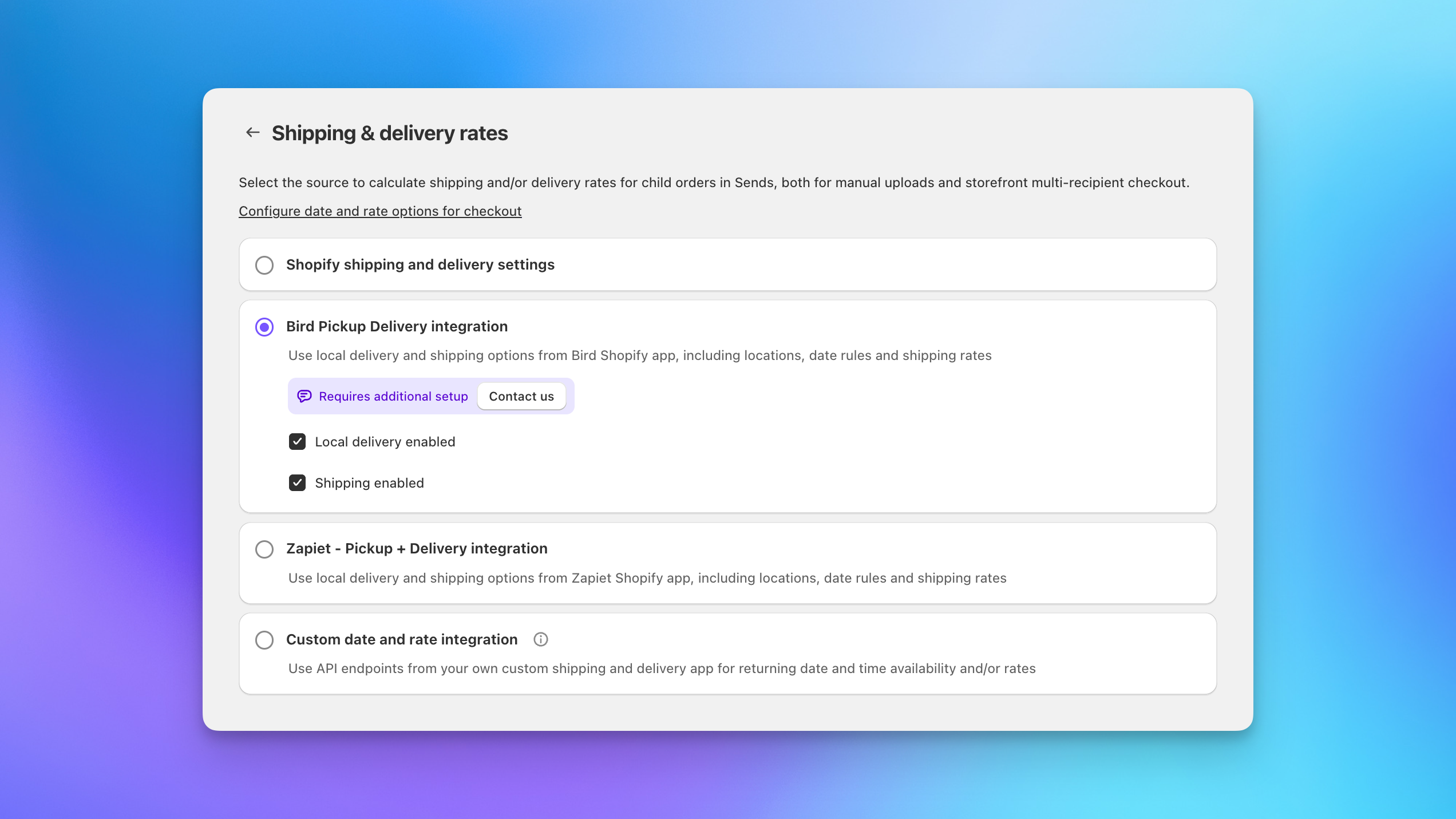
Step 3: Create a test Send. Once enabled, create a Send and reach the Review step. Verify that Bird's delivery options appear alongside your expected rates and that the available locations match your Bird configuration.
Bird integration requires additional configuration. Contact us to get started.
How It Works in Upload
During the upload workflow, Bird delivery options appear at the Review step (Step 4) alongside any other shipping rates:
- Upload your recipient spreadsheet and complete the Details, Products, and Validate steps as usual.
- At the Review step, shipping rates are calculated for each recipient. Bird options (pickup, local delivery, and/or shipping) appear based on each recipient's address and your Bird configuration.
- You can assign a shipping method to all recipients at once or override individual recipients as needed.
- When you finalize the Send, each recipient order is created with their assigned fulfillment method.
How It Works in Checkout
For multi-recipient checkout, Bird rates appear automatically when shoppers are adding recipients:
- Your shopper adds products to their cart and opens the multi-recipient checkout.
- As they add recipient addresses, Send To Many calculates available Bird rates for each recipient based on their location.
- Shoppers select from available delivery options per recipient: store pickup, local delivery, or standard shipping.
- At Shopify checkout, shipping reflects the selections made during the multi-recipient step.
To use Bird as the rate source for checkout, select Bird Pickup Delivery Integration on the Shipping & delivery rates settings page. This applies to both upload Sends and multi-recipient checkout. See Configuring Checkout: Basics for all checkout shipping configuration details.
How It Compares to Zapiet
Bird and Zapiet serve similar roles: both provide local delivery and shipping rate options that Send To Many can use as a rate source. The integration with Send To Many works the same way for both. Choose whichever app you already use for delivery management on your store.
Next Steps
- Configuring Checkout: Basics: Full shipping configuration for multi-recipient checkout
- Send Types and Generation Settings: Shipping and other order generation settings
- Zapiet Integration: Alternative delivery and shipping rate integration