Adding the Inquiry Form to Your Storefront
How the inquiry form is deployed as a Shopify theme app extension section. Add it to any page template from the theme editor.
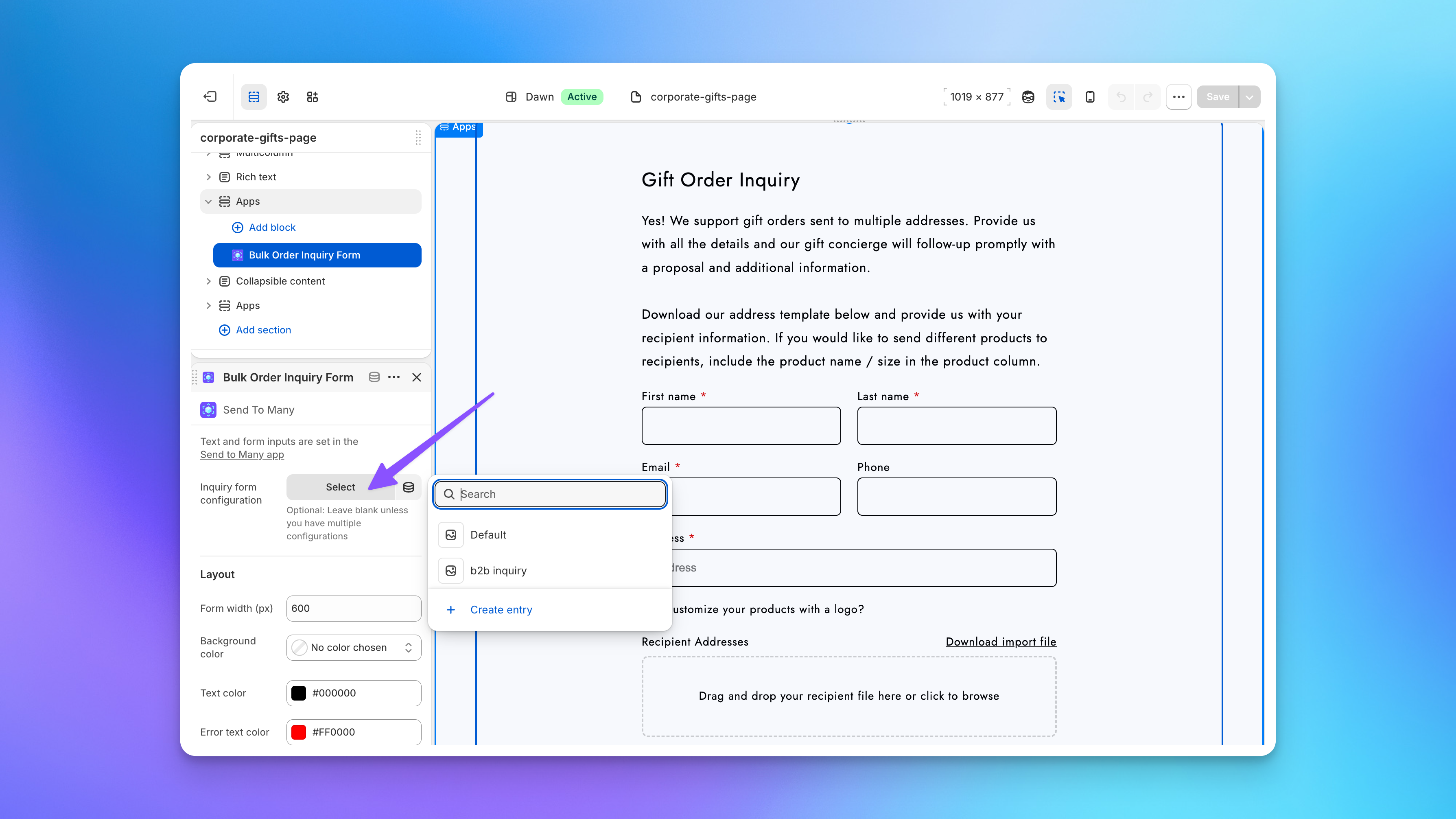
The inquiry form is deployed as a theme app extension section in Shopify's theme editor. You add it to any page template the same way you'd add any other section: no code required. Most merchants place the form on a dedicated "Corporate Gifting" or "Bulk Orders" page, though it works on any page template including your homepage or campaign landing pages.
The form inherits your theme's typography, colors, and spacing by default, so it fits naturally into your store's design.
If you have multiple form configurations (Pro and Enterprise plans), use the Inquiry form configuration selector on the form block in the theme editor to choose which configuration each placement uses. Leave it blank if you only have one.
→ See the tutorial: How to Add a Gifting Inquiry Form to Your Shopify Store