Support for metafields in multi-recipient orders and uploads, plus improved recipient fields
Checkout data quality + metafields + better import mapping
This release focuses on reducing downstream order cleanup by validating recipient inputs earlier, expanding metafields support across checkout and integrations, and making manual imports easier to map into the exact fields your team (and your downstream systems) expect.
1) Improve recipient data quality (fewer downstream fixes)
These improvements help catch common recipient issues earlier--before orders are created and handed off to fulfillment. By validating contact fields, optionally blocking PO Boxes, and guiding shoppers on custom text inputs, teams spend less time cleaning up orders and more time shipping gifts correctly the first time. For full recipient field configuration, see Configuring Checkout: Recipient Fields.
What's improved
- **Use a single "Name" for each recipient or split between First and Last. **
And if you split first and last, show an error if either field is blank

- For any recipient fields, customize both the display label and the placeholder text:
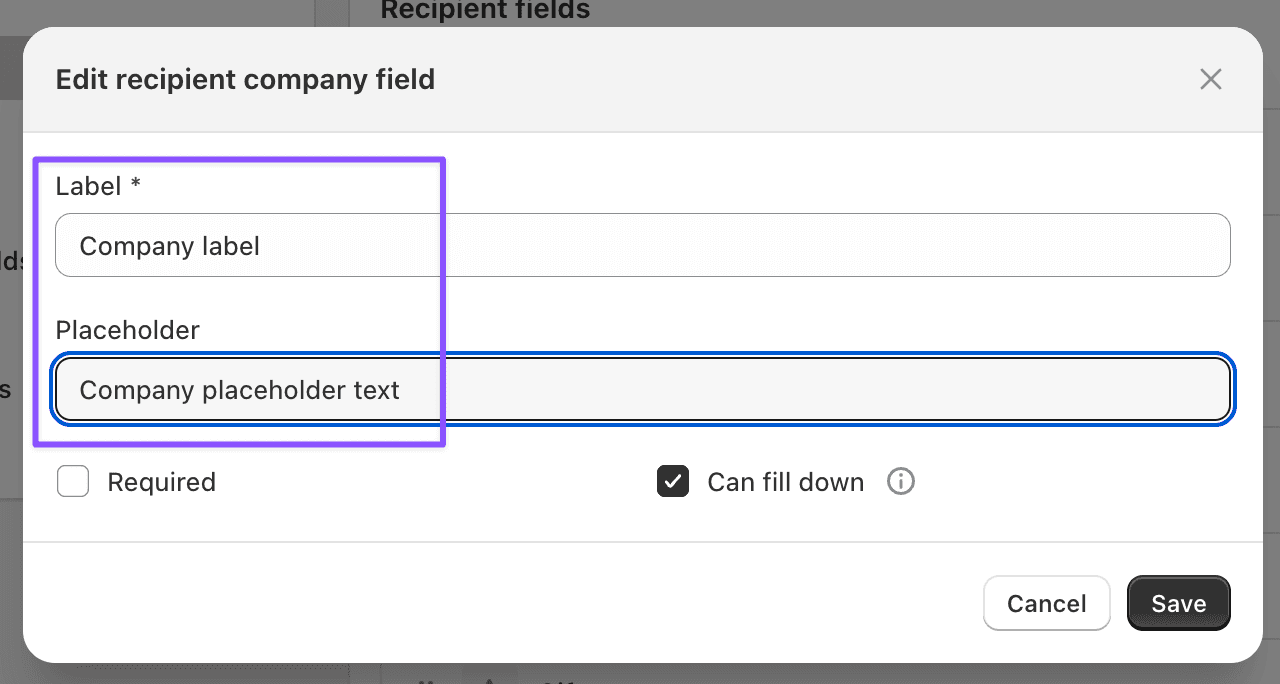
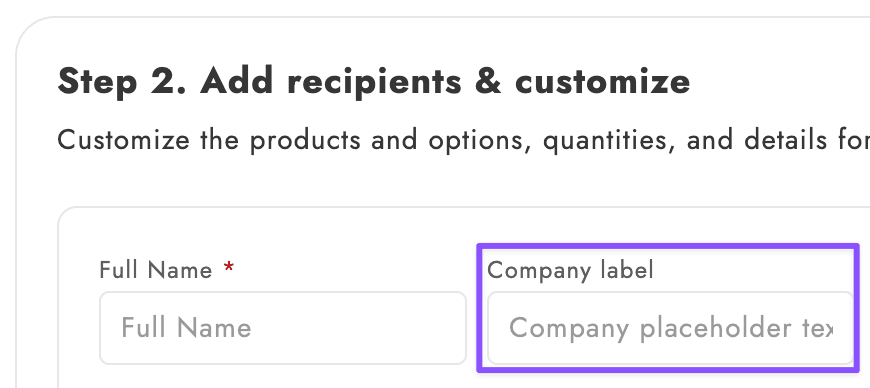
- Added recipient email + phone validation in the checkout block. These validations run automatically anywhere the checkout block collects recipient contact information--no settings required.
- Added an option to disallow PO Boxes for recipient addresses.
Enable this when you ship products that can't be delivered to PO Boxes (or when PO Boxes create consistent carrier exceptions).
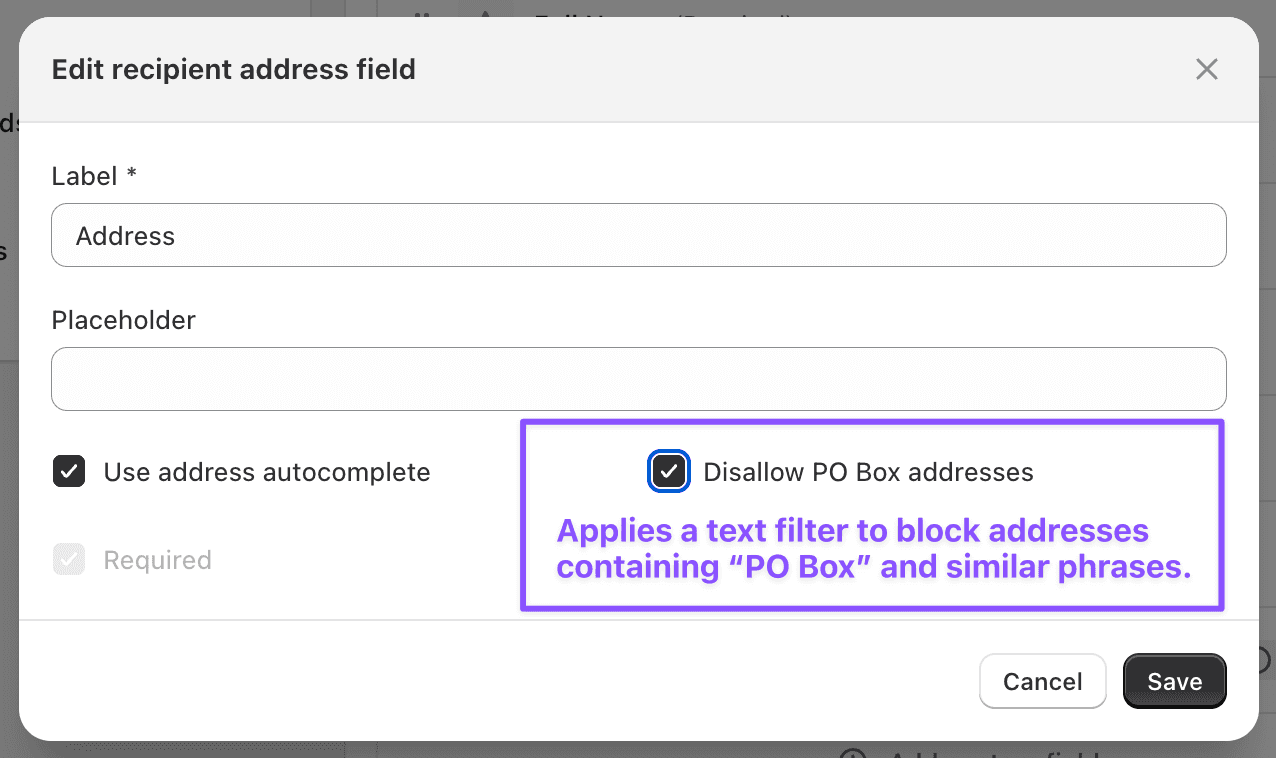
*Disallow PO Box addresses -- applies a text filter to block addresses containing 'PO Box' and similar phrases. *
- Custom recipient text fields can now be multiline inputs and support max length with a character counter. This is especially useful for gift messages and other text fields that need to fit within operational limits (packing slips, 3PL constraints, delivery notes, etc.).
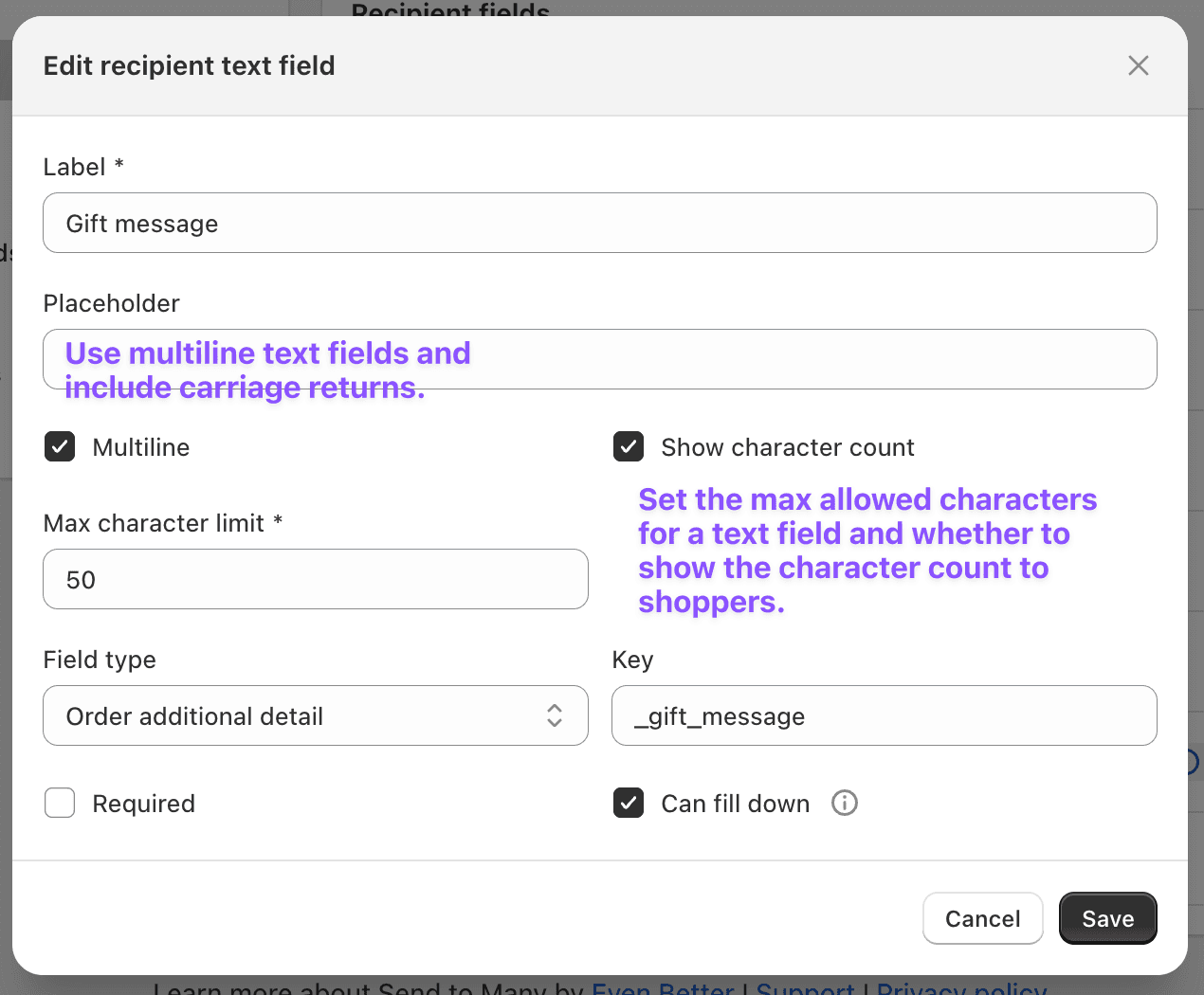
Set the max allowed characters for a text field and whether to show the character count to shoppers.
2) Order metafields for uploads and checkout
You can now map data from both spreadsheet uploads and multi-recipient checkout directly to Shopify order metafields. In uploads, assign any imported column to an order metafield definition. In checkout, map custom recipient fields and shipping dates to metafields of the same type. This gives fulfillment tools and automations clean, structured data on every recipient order.
For setup details, examples, and supported metafield types, see Order Metafields: Map Upload and Checkout Data to Shopify Metafields.
3) Rename import column keys
When mapping an import column to an "additional details" field, you can now set the stored key to a different value than the column header. This is helpful when your ops team or integrations expect a specific naming convention that doesn't match the incoming spreadsheet.