New Analytics pages — full visibility into sends, orders, and revenue
v3.23
Send To Many now includes a dedicated Analytics area so you can understand performance across all send types, quantify the value you're getting from the app, and export clean reporting for operations and finance, all in one place.
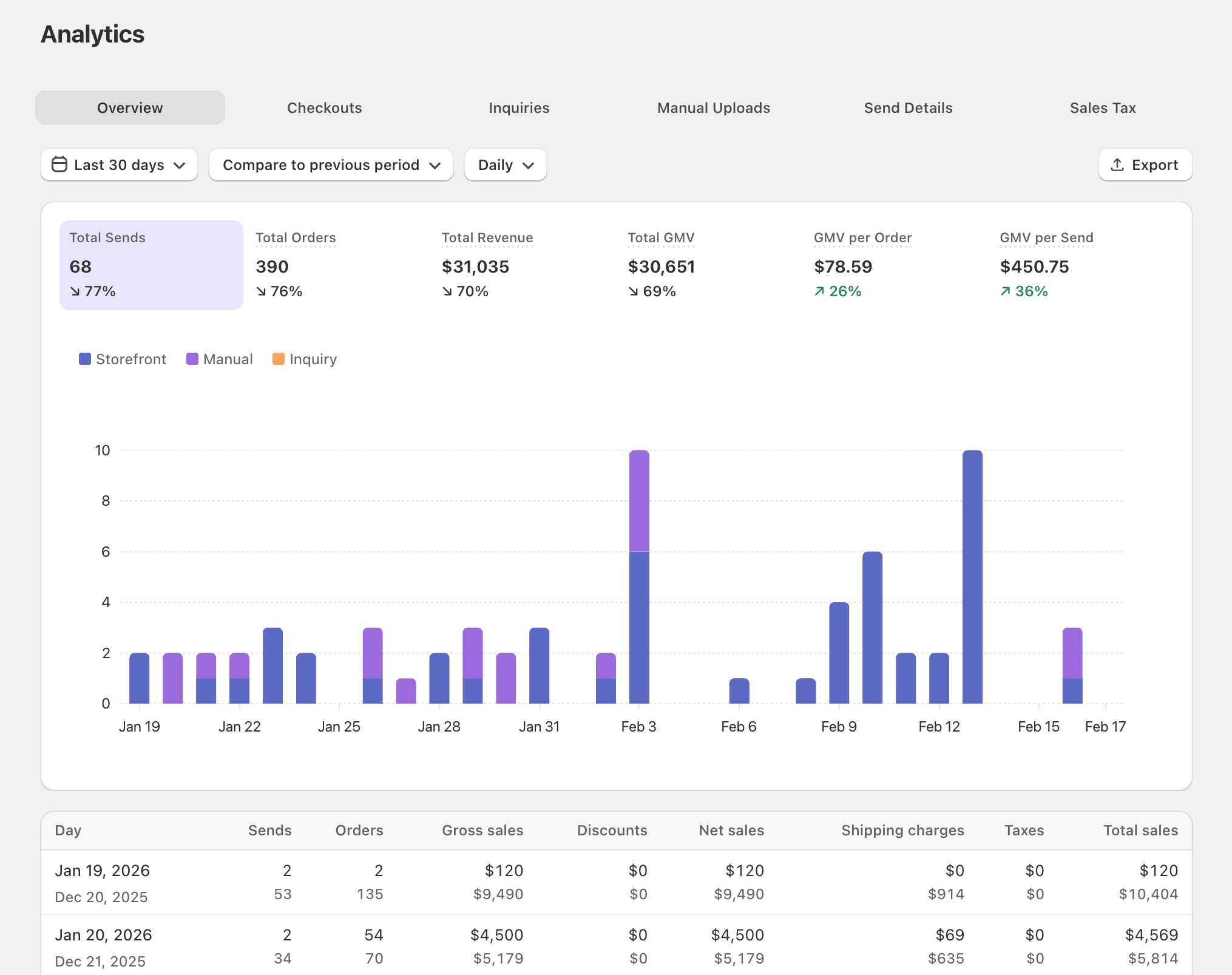
Analytics gives you a single place to answer the questions that used to require exporting data and stitching it together manually:
- How much revenue is the app driving? The Overview tab aggregates sends, orders, revenue, and GMV across all send types with date filtering and CSV export.
- Where are customers dropping off in checkout? The Checkouts tab shows a full conversion funnel from session to purchase.
- How are inquiry-driven sends performing? The Inquiries tab tracks form submissions through to orders and revenue.
- What does our upload volume look like? The Manual Uploads tab gives ops teams metrics on spreadsheet-driven sends.
- Can I audit individual sends and orders? The Send Details tab is a searchable, filterable, exportable table of every send and order.
- How do I get clean tax exports? The Sales Tax details tab exports one row per tax rate per order for finance workflows.
For a full walkthrough of every tab, metric, and export option, see the detailed analytics documentation.