Recipient list link: put the full Send in your invoice email
Before a corporate customer pays an invoice, they usually want to check the recipient list. Shopify's invoice email can't carry an attachment, so your team had to send the CSV in a separate email. Now you can put a download link for the full recipient list right in the invoice.
How it works
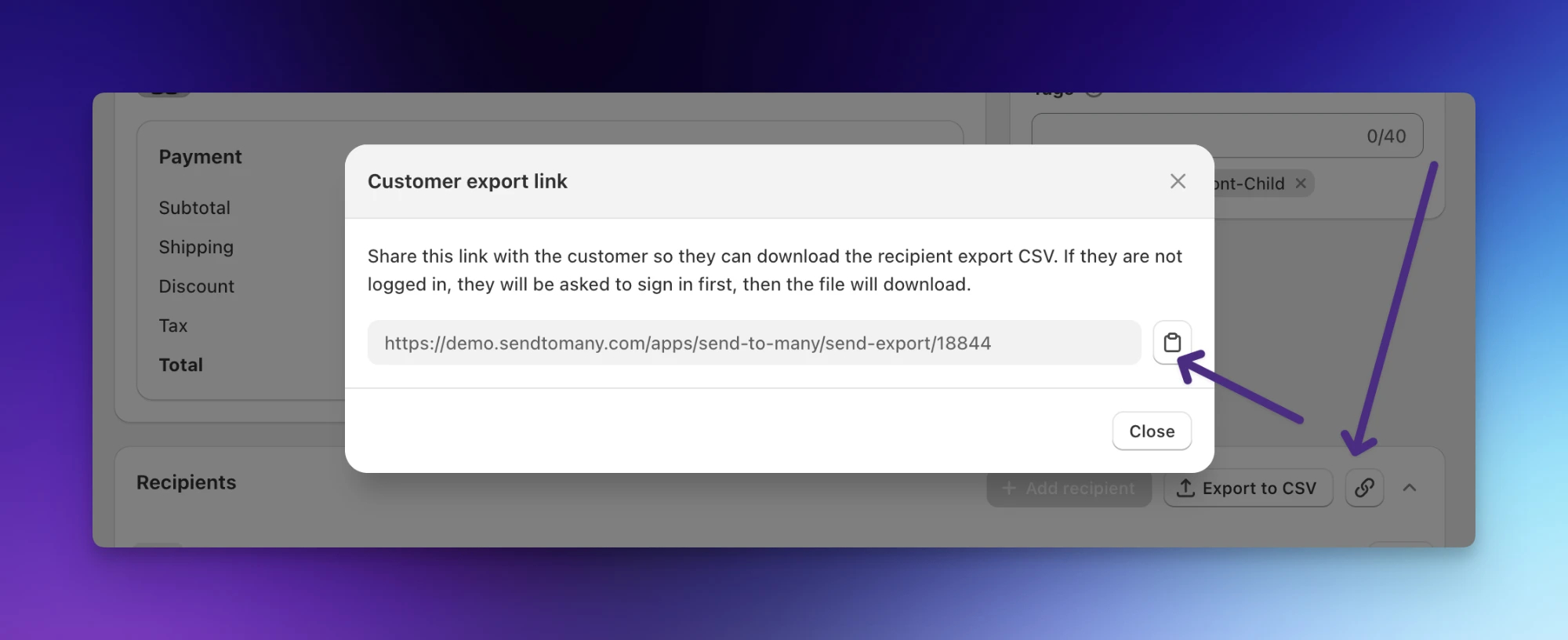
On step 5 of a Send, a new link icon next to Export to CSV opens a Customer export link. Copy it to share one Send's recipient list in any message.
To include it on every invoice, add a short block of code to your Shopify draft order invoice template. Invoices for your Sends then explain that each gift ships separately and show a Download recipient list (CSV) button. Other invoices stay as they are.
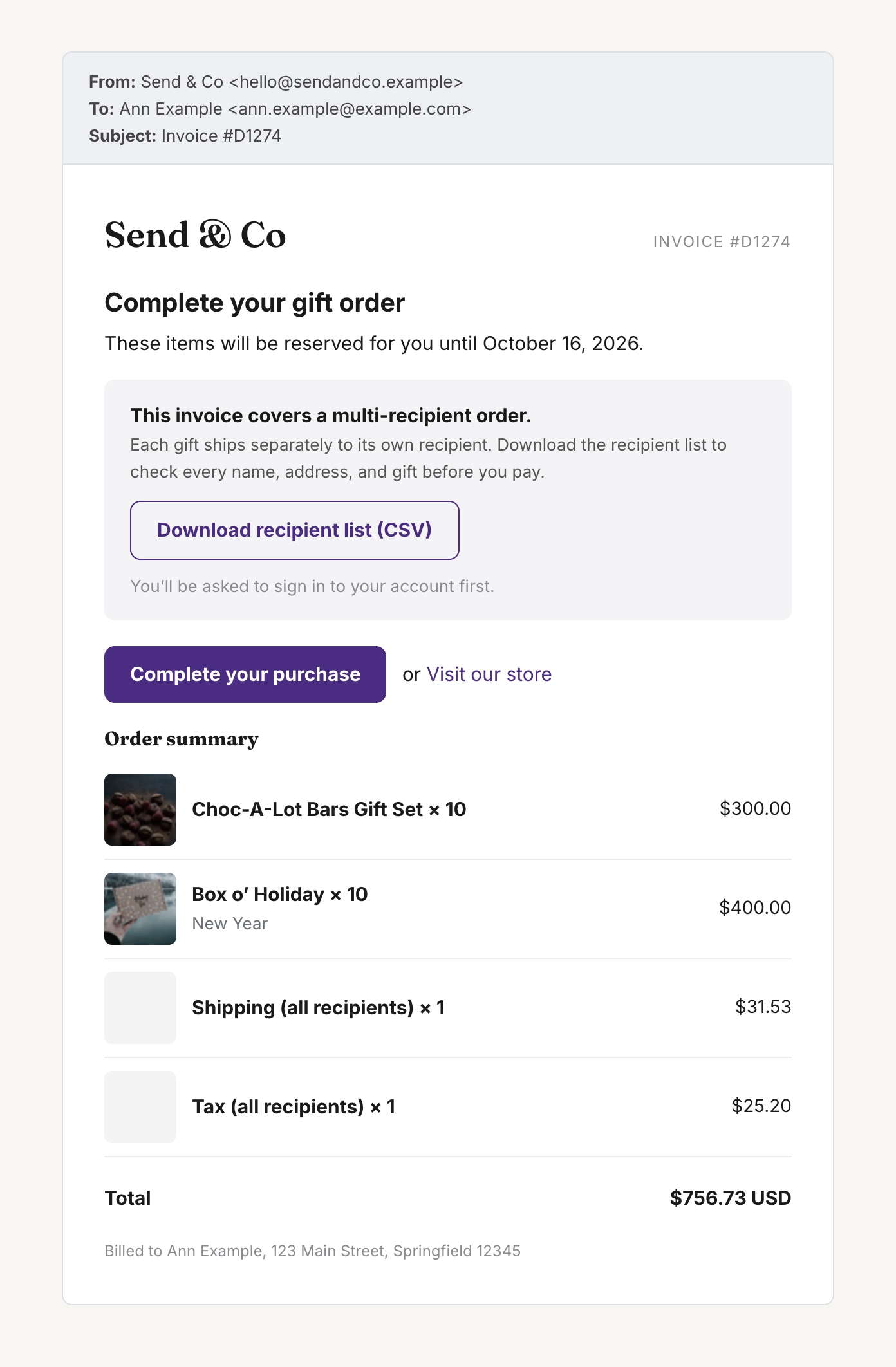
When the gifter clicks the link, they sign in to their customer account on your store, and the CSV downloads. It has every recipient, address, product, and per-recipient total, as of the moment they click. Only the customer on the Send can download it.
Set it up with the tutorial: How to Customize Your Shopify Invoice Email for Multi-Recipient Orders.
This is live now. If you have questions about adding the link to your invoice template, reach out at help@evenbetterapps.com.