Delivery digest emails (beta): one daily shipping update per Send instead of one per shipment
:::warning Beta feature The delivery digest trigger is in beta. Fields, timing, and defaults may change before it's finalized. If you set it up, we'd like to hear how it works for you: send us feedback. :::
Shopify typically sends two to four shipping notifications for every order. For a Send with 100 recipients, that can mean 400 emails. Send To Many suppresses those notifications by default so the billing customer isn't buried, with the option to send them to recipients, or to the customer if they really want every one.
Now there's a third option: keep the billing customer informed without overwhelming their inbox. A new Shopify Flow trigger gives you a daily rollup of delivery activity for each Send, and you use it to build one summary email a day in your own email platform.
For example, you can set up a campaign like this to update your customer on how many shipments went out, how many arrived, and how many need attention, with a link to the full recipient list and tracking on the Sends page in their customer account. It goes out each morning for any Send with delivery activity in the previous 24 hours.
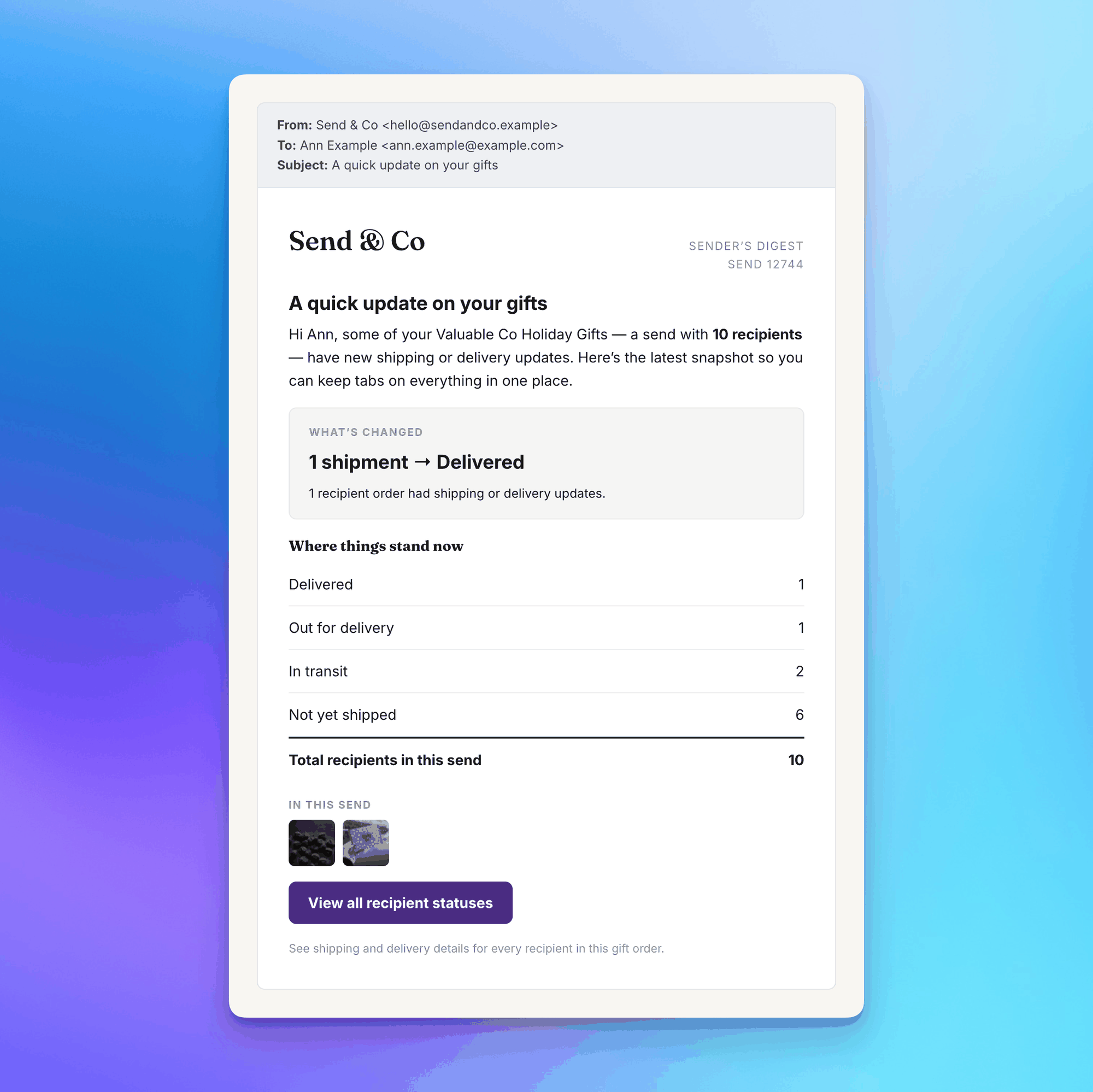
If nothing changed for a Send that day, the trigger doesn't fire and no email goes out. A Send with 40 recipient orders that all shipped overnight fires once, not 40 times.
How the trigger works
The new Flow trigger is Send fulfillment status changed. Once a day, we fire it for every finished Send with carrier-reported status changes in the last 24 hours. It carries counts (delivered, in transit, delayed, failed, and so on), not recipient rows, so the email stays short no matter how large the Send. Your Flow passes those counts to your email platform, which sends the message.
There's no digest setting inside Send To Many. Creating and activating a Flow with the trigger turns it on, and deactivating the Flow turns it off. It runs independently of your shipping notification settings, so you can keep recipient order emails suppressed and still send gifters a daily update.
The trigger fires for all send types: manual uploads, storefront checkout Sends, and Sends created from inquiries.
Get started
- Enable the Sends page customer account extension so the digest has somewhere to link.
- Follow the tutorial: Set Up Delivery Digest Emails with Shopify Flow and Klaviyo. It walks through the Flow, the Klaviyo email, the full list of trigger fields, and routing delivery problems to your own team.
Related: Order & Shipping Notifications for Multi-Recipient Orders covers the suppression settings the digest pairs with.