Send To Many meets Shopify's new app security requirements
Shopify is raising the security bar for every app that connects to your store, and Send To Many already meets it. Both of Shopify's new protections are switched on for Send To Many, ahead of Shopify's deadlines. You don't need to do anything.
What's new
Shopify now shows each app's security setup in your admin. Go to Settings → Apps, open Send To Many, and the Security section shows a green check next to both:
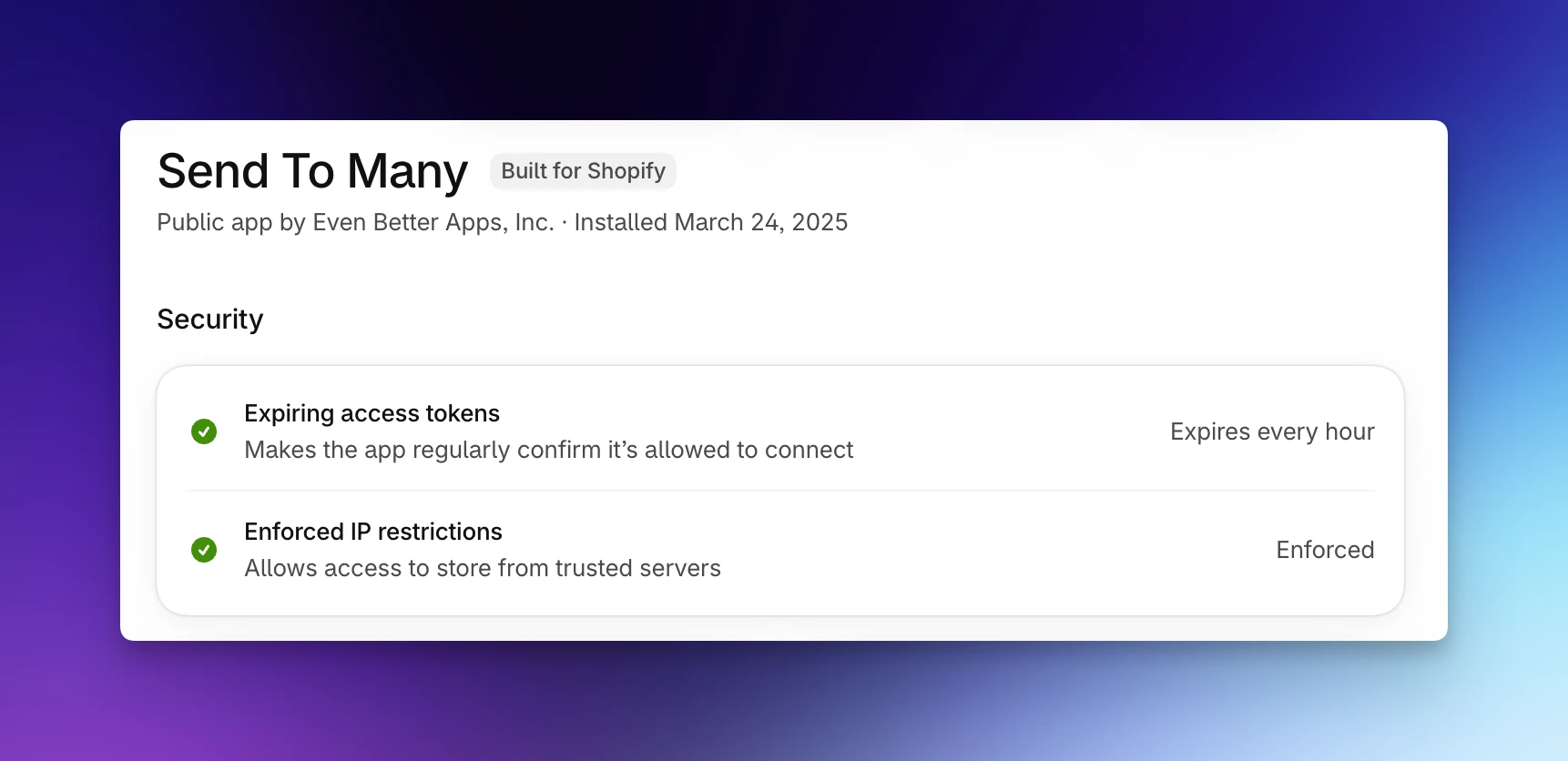
Expiring access tokens. The credential Send To Many uses to connect to your store now expires and renews on its own, instead of lasting indefinitely. If a credential were ever leaked, it would stop working within the hour.
Enforced IP restrictions. Shopify only accepts requests made with Send To Many's credentials when they come from Send To Many's own servers. A credential used anywhere else is rejected.
Together, these limit both how long and from where a leaked credential could be used. They protect the order, customer, and product data Send To Many works with in your store. Shopify explains both checks in Review an app's security checks.
Why it matters now
Shopify is phasing these in as requirements for all public apps. Starting November 20, 2026, apps without IP restrictions are flagged in Settings → Apps. From January 15, 2027, merchants using apps that haven't made the switch see warnings in their admin, and from April 1, 2027 those apps' requests to the Shopify API start failing. Send To Many won't be affected.
How to get started
There's nothing to set up. Your orders, Sends, multi-recipient checkout, and integrations work exactly as before. To see it for yourself, open Settings → Apps → Send To Many in your Shopify admin.
If you have questions, reach out at help@evenbetterapps.com.